About · the program
One program,
and it gets out of the way.
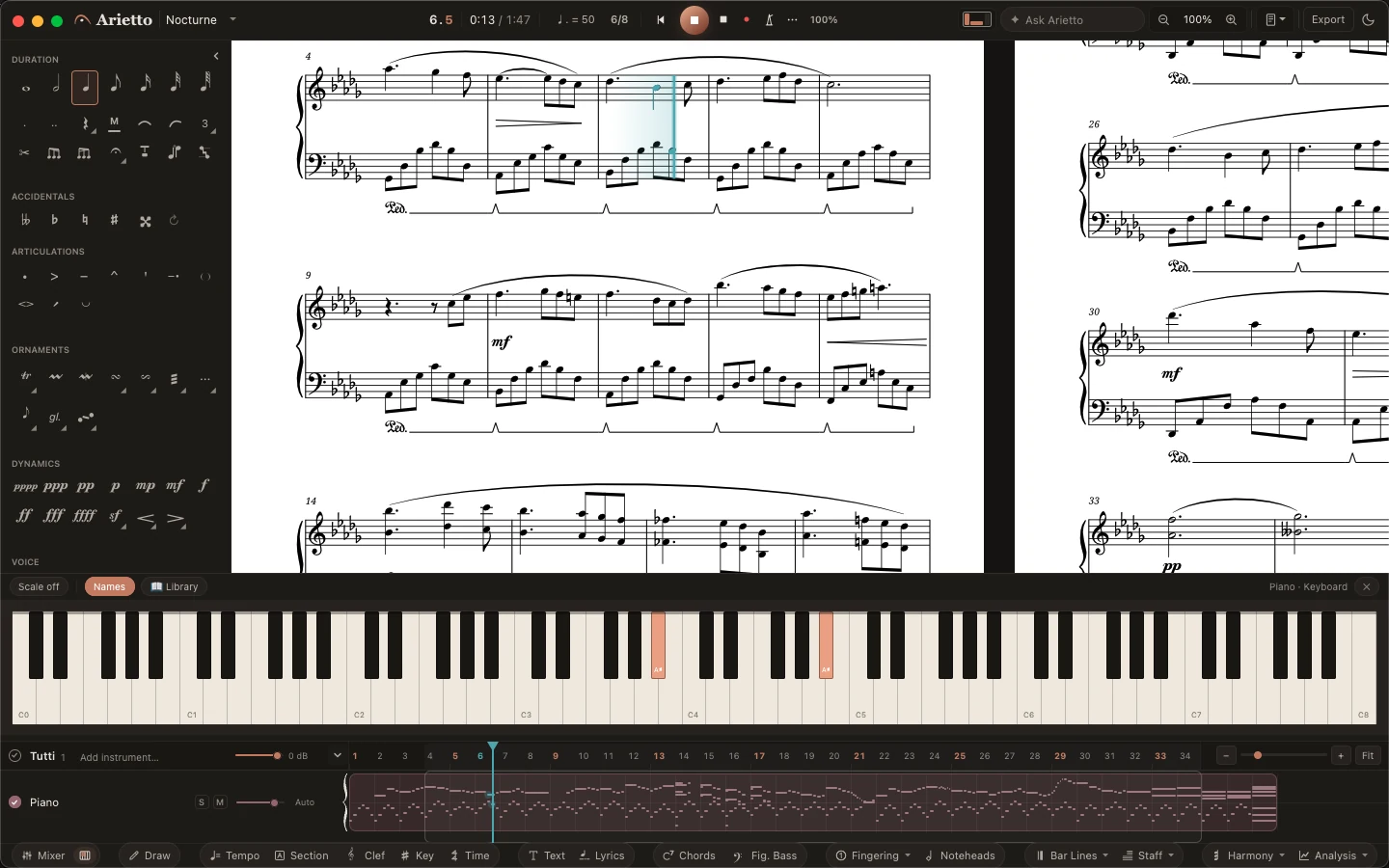
Arietto is a notation program for the Mac. It is meant to be picked up in an evening, to stay quick when the score gets big, and to give you pages you would hand to a player without fixing them first.
Where this comes from
The program I wanted for twenty years.
I spent twenty years writing and arranging on other people's software, and a great deal of those twenty years went into learning the software rather than writing the music: manuals, tutorials, forum threads, a private list of workarounds I had to keep in my head. More than once I stopped in the middle of a phrase to go and watch somebody explain how to enter a note, and the idea I had been holding was not there when I came back.
Arietto is the program I wanted during those years. Every decision in it answers one question: does this give the time back to the music?
I am a musician and teacher in Upper Austria, and I prepare parts for ensembles that rehearse every week. Arietto is made by Kammerwerk Technologies, the small company I founded to build it.
You write, lay out and listen in the same window. You are always in the score, and what you learn once works everywhere.
What you reach for most is where you would expect it, the defaults are the ones a working copyist would choose, and the first score you make should be one you are willing to hand out.
Spacing, beams, slurs, accidentals and page turns are set as you write. Arietto makes the first proposal. You have the last word, and what you move stays where you put it.
Written in Rust and drawn on the graphics card, so a full orchestral score stays quick to work in, late in the evening, on an ordinary laptop.
Score, parts and sound
From two players to a full orchestra.
Parts come out of the score and stay in step with it. Sampled instruments and a mixer are part of the program, with nothing further to buy.


All of it, in one version
No cut-down edition.
No stave limit and no player limit. Everything below is in the program today.
- Parts extracted from the score, and kept in step with it
- Multi-bar rests, rehearsal marks and page turns worked out for you
- Transposing instruments, in written or sounding pitch
- Divisi, cue notes and ossia staves
- Several voices to a staff, and cross-staff writing
- Title page, instrumentation list and performance notes
- Chord symbols and figured bass
- Tuplets, tremolos, pedal lines, fanned beams, pickup bars
- Guitar tab with a fretboard, linked to the notation both ways
- Percussion kits, single-line percussion and a kit editor
- A drawing mode for graphic and contemporary notation
- Playback with sampled instruments and a mixer
- MusicXML and MIDI in and out; PDF and audio out
- Opens the project files of a professional notation program that is no longer sold
- Find any command by typing a few letters of its name
Be among the first
to write in Arietto.
The closed beta opens this autumn for macOS. It is small on purpose, and every application is read by the person who built the program.
Apply for the closed beta